Splits Join the Beta

Open beta · Free · iPhone and Android

Your lifts and runs, in one week.

Splits is a lifting log for people who also run. It reads Saturday's long run before you open Sunday's squats.

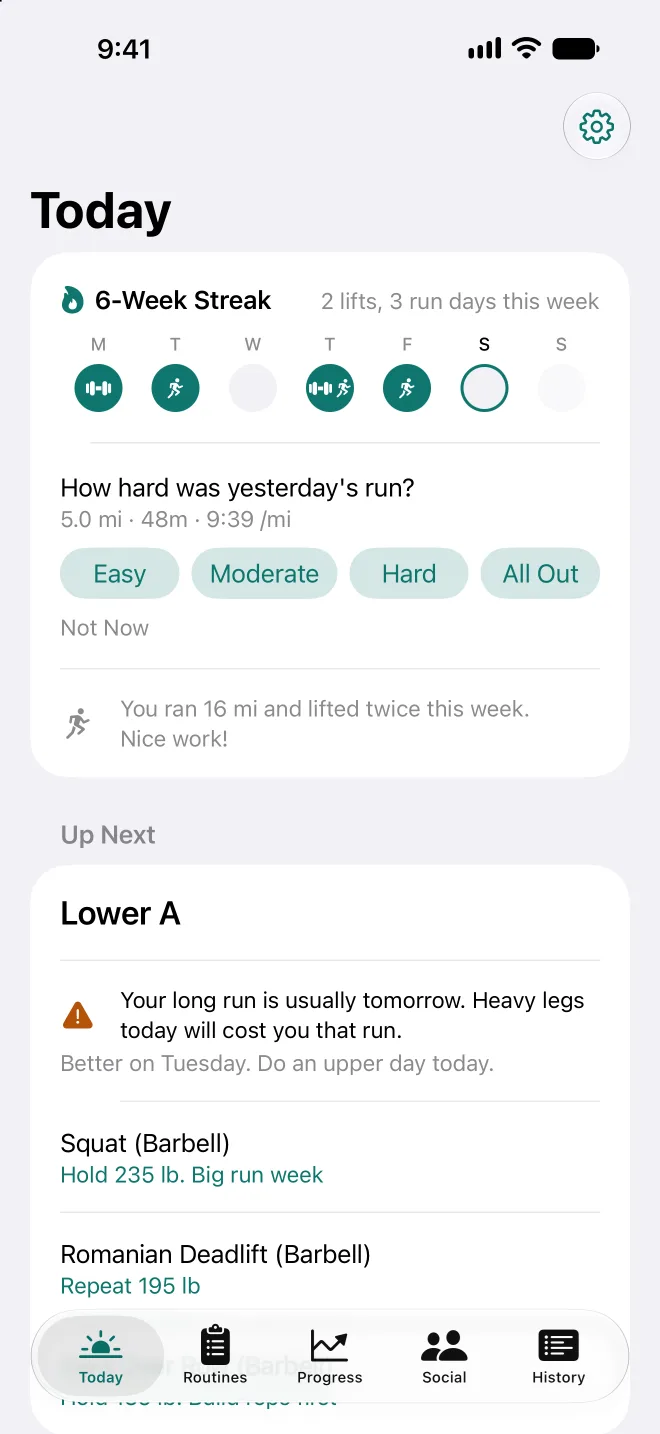
  1. M
  2. T
  3. W
  4. T
  5. F
  6. S
  7. S
Splits' Today screen: a six-week streak, the week's lift and run days, and a note that tomorrow's long run makes today a better upper day.

Big run week? Hold your legs.

Most gym apps act like your legs are fresh every day. Splits reads your runs, sleep and heart rate from Apple Health, so it knows what your legs did this week.

  • In a big run week, Splits suggests holding your leg lifts while your upper body keeps going.
  • Leg day too close to a hard run? Splits says so and looks for a better day.
  • Set a race date and your lifting tapers in the two weeks before it.
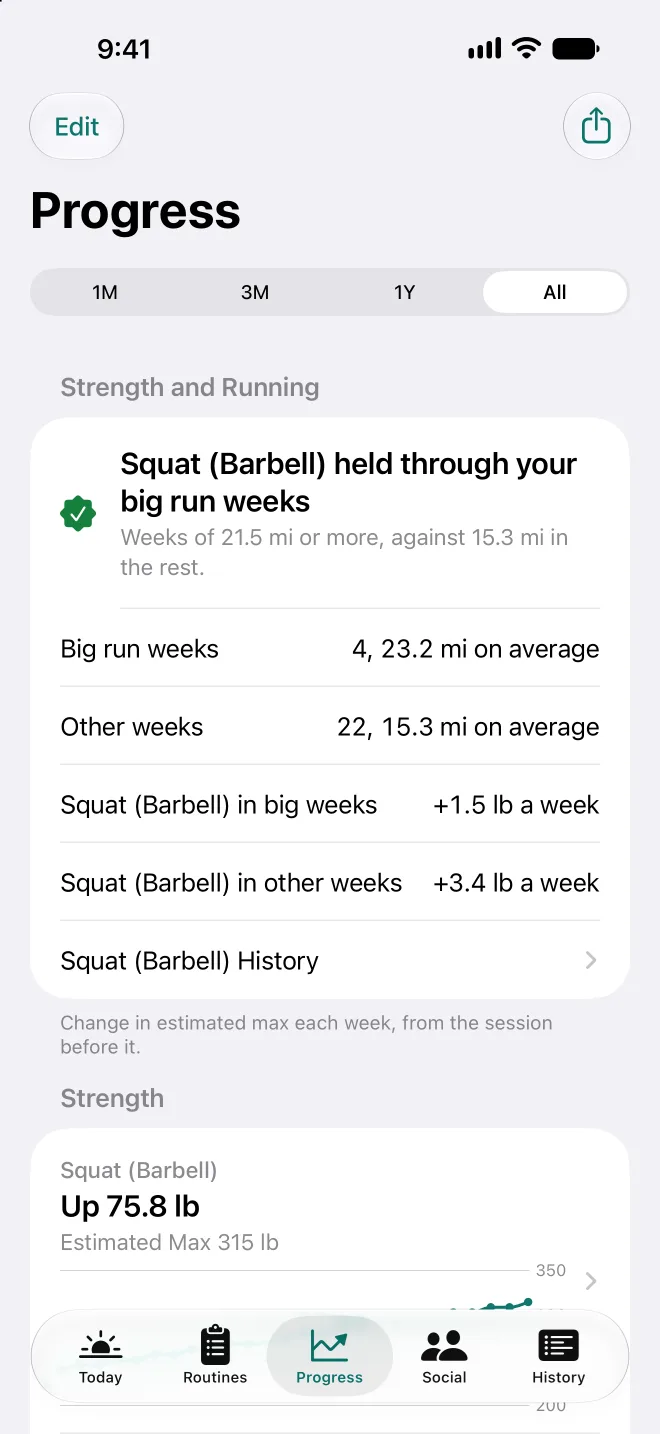
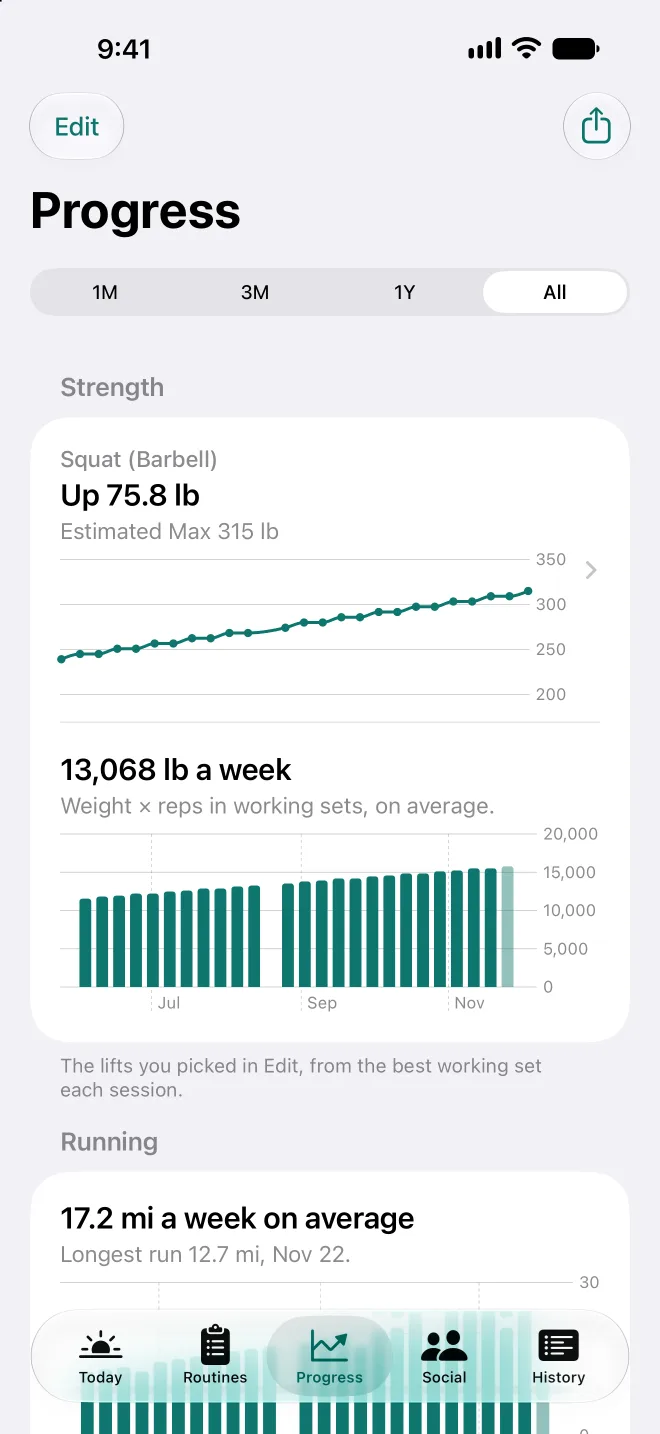
Progress: squat held steady through the big run weeks, with weekly miles below.

A look inside

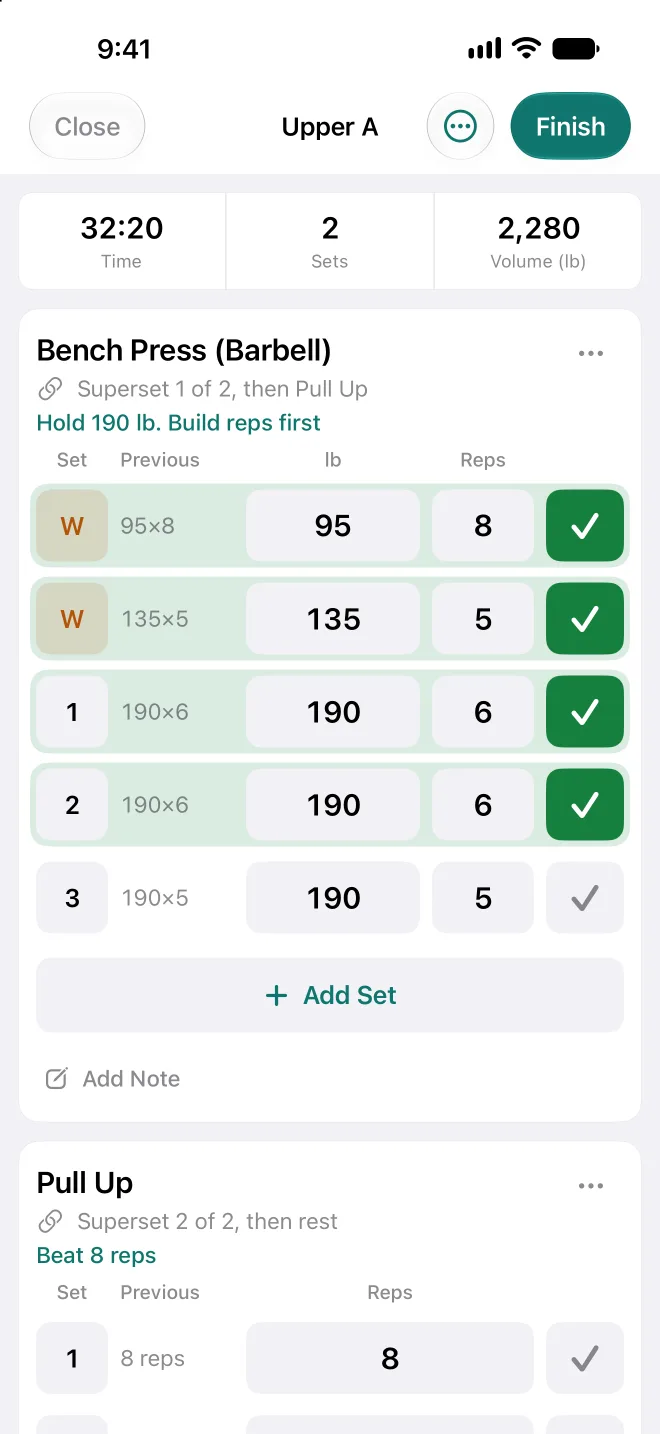
The logger mid-workout, with warmups and two working sets checked.
Log a set in two taps.
Progress: squat's estimated max, weekly volume and weekly miles.
See every lift and mile add up.
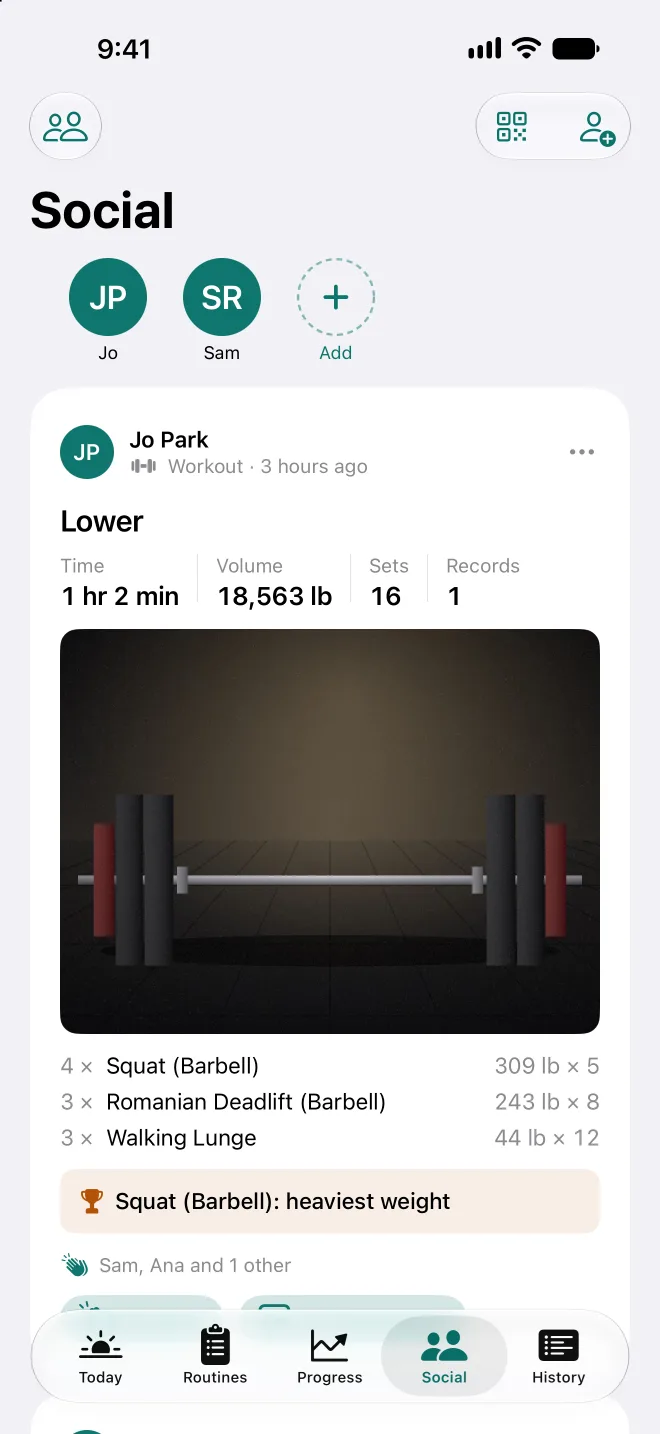
The Social feed with a friend's lower-body workout.
Share workouts with friends.
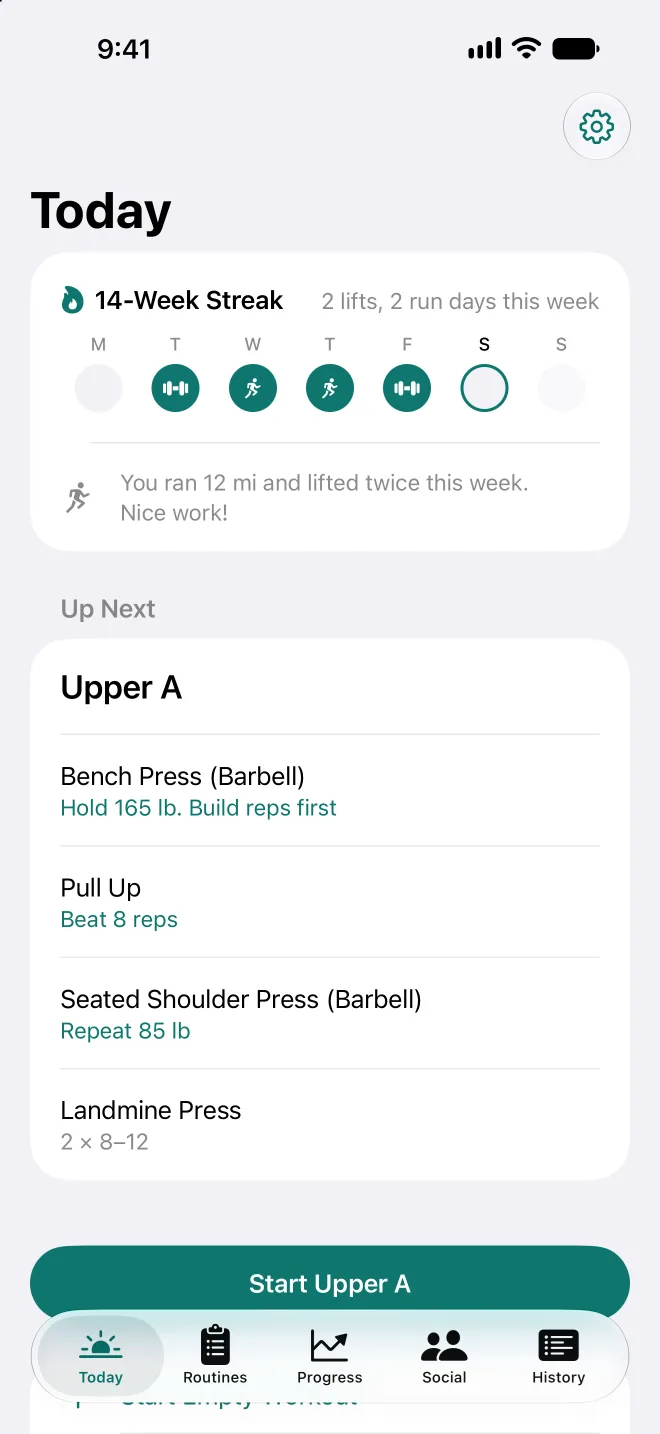
Today with a 14-week streak across lifts and runs.
A streak for runs and lifts alike.
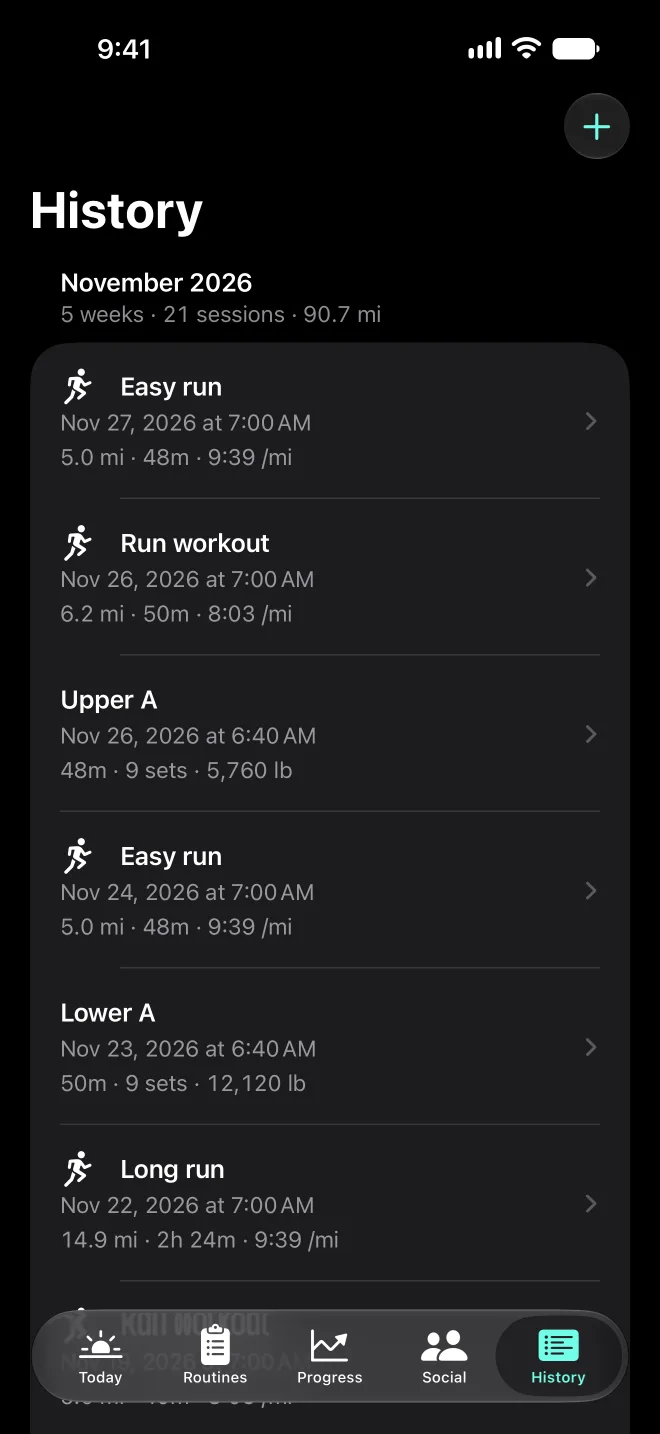
History in dark mode, lifts and runs in one list.
Every lift and run in one history.

What's in Splits

Log fast

  • Your last weights are filled in, so a set takes a tap or two.
  • A rest timer on your Lock Screen and Dynamic Island.
  • Over 900 exercises, or add your own.
  • Supersets, warmup sets, and a plate calculator for each gym's bar.

Runs from anywhere

  • Runs from Apple Watch, Garmin, Coros or any app that writes to Apple Health show up next to your lifts.
  • Record runs, walks and hikes with your phone's GPS, with the phone locked.
  • A morning check from your sleep and heart rate says go, trim or swap.

Train with friends

  • Add a training partner with an invite link or QR code.
  • No public profiles, no search, no strangers.
  • Post a workout with a photo, or don't. You choose every time.

Your data stays yours

  • Your workouts live on your phone, and the app works with no network.
  • No ads, no tracking.
  • Export your workouts and routines any time.

About the beta

What's in the beta?

The free app: the whole logger, runs from Apple Health, Progress, and Social. The AI coach isn't part of the open beta.

How do I install it on iPhone?

After you sign up, Apple emails you a TestFlight invite. Open it on your iPhone, install TestFlight if you don't have it, and tap Install. It can take a few minutes to arrive, so check your spam folder too.

And on Android?

Android invites go out by hand, through Firebase App Distribution. You'll get an email from Firebase with a link to install.

What happens to my email?

It's saved on Splits' server and passed to Apple (iPhone) or Google's Firebase (Android) to send the invite. It isn't used for anything else. To be removed, email hello@charlesmarsh.dev. The privacy policy has the details.

How do I send feedback?

Take a screenshot in the beta and TestFlight asks if you want to send it with a note. Or email hello@charlesmarsh.dev.

Join the Beta